Adsonant vs Pleco
Pleco Alternative for Building Vocabulary
Updated
Adsonant is built for helping you capture and grow your vocabulary in a language. It’s where you keep the words you want to learn, with pinyin, translations, and example sentences filled in, while Pleco is where you look a Chinese word up. Pleco is the most trusted Chinese dictionary app, and for some learners it’s the better choice.
The short answer
- Choose Adsonant if you want to quickly collect and review vocabulary without spending a lot of time building flashcard decks.
- Choose Pleco if you want an in-depth Chinese dictionary, with handwriting input and paid add-ons for flashcards and reading.
Adsonant vs Pleco at a Glance
| Adsonant | Pleco | |
|---|---|---|
| Best for | Building vocabulary in a new language | Looking up Chinese words |
| Adding a word | Type a word, paste text, or take or choose a photo | Look a word up, then add it to flashcards (paid add-on) |
| Translations, readings, examples | One tap: meaning, example sentence, pinyin or hiragana, and noun articles | Detailed dictionary entries, with more dictionaries available to buy |
| Spaced repetition | FSRS, plus review by group or recently added words | Spaced repetition in the paid Flashcards add-on |
| Organizing words | Groups; a word can belong to several | Flashcard categories |
| Languages | Chinese, French, German, Italian, Japanese, Spanish | Chinese only |
| Platforms | iPhone and iPad, synced with iCloud | iPhone, Android |
| Price | Free for small collections, paid subscription thereafter | Free dictionary; one-time purchases for add-ons |
Adding a Word: Adsonant vs Pleco
Say you hear the Chinese word 堵车 (dǔchē, traffic jam) and want to learn it.
In Adsonant
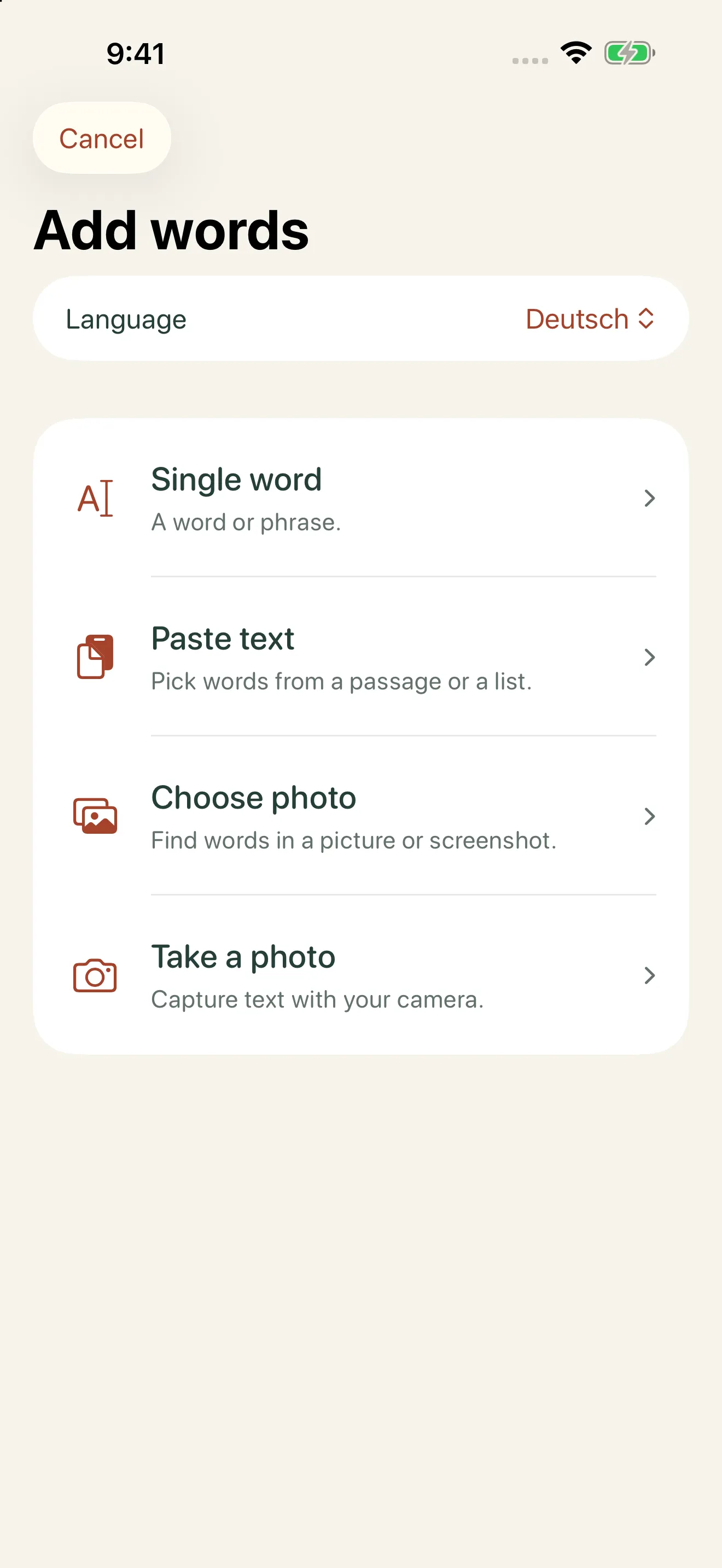
- Type the word, paste a passage, or take a photo.
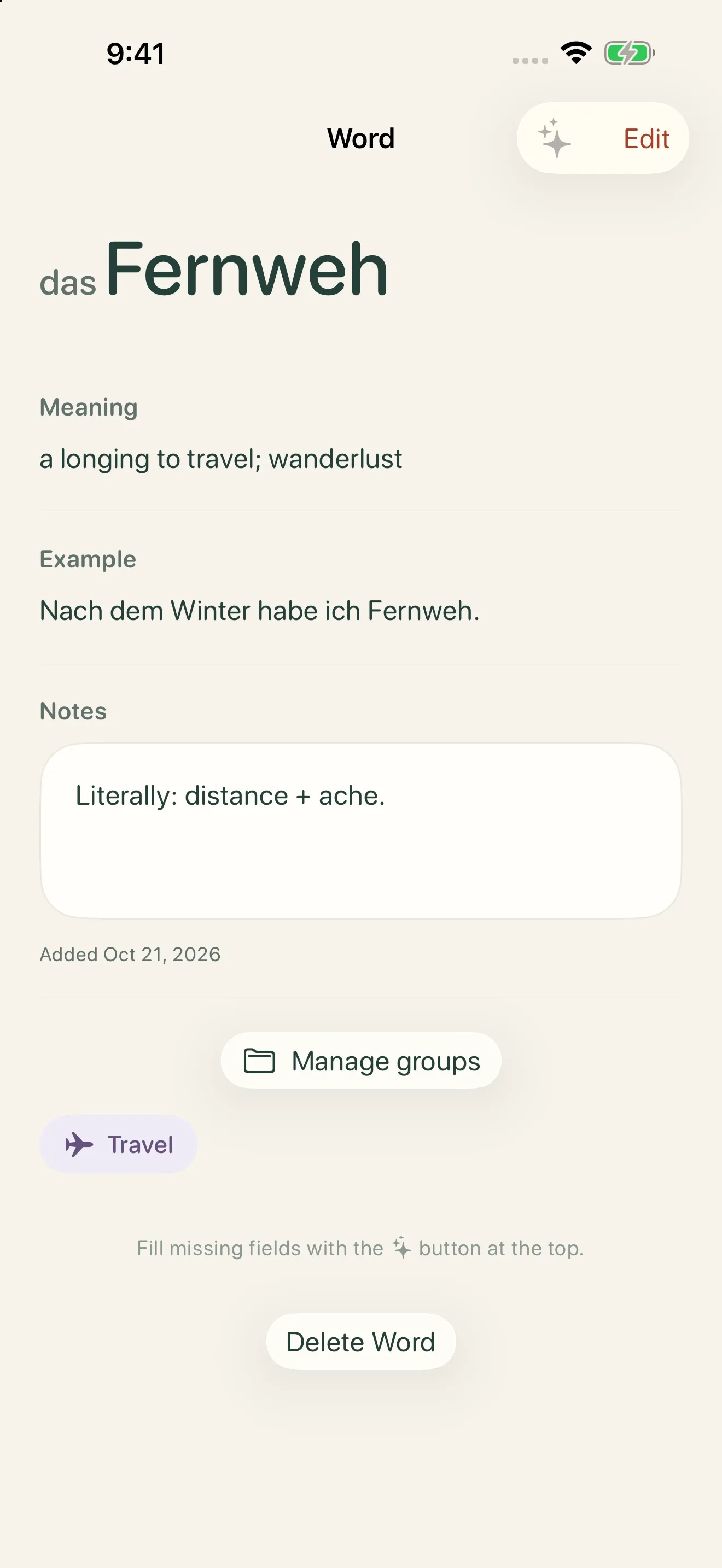
- Tap to add the meaning, reading (dǔchē), and an example.
- Save it, optionally into a group like “Daily life.”
In Pleco
- Look the word up in the dictionary.
- Add it to your flashcards, with the Flashcards add-on.
- Choose a category for it.
- Find an example sentence in the entry, if there is one.
Pasting a passage or photographing a page saves even more time. Adsonant finds the words in the text and turns them into their dictionary forms, and you choose which ones to keep.
Where Adsonant Is Better
- Adding words is fast. Save a word in seconds, or pull many at once from pasted text or a photo.
- Details are filled in for you. One tap adds the translation, an example sentence in the language you’re learning, pinyin for Chinese, hiragana for Japanese, and articles for nouns.
- Six languages in one place. Learn Chinese alongside French, German, Italian, Japanese, or Spanish in the same library.
- Groups for your interests. Sort words into groups like “Travel” or “Cooking,” and review one group at a time.
- Spaced repetition and progress you can see. Adsonant schedules reviews with FSRS, and shows your total words by language, growth over time, and review history.
Where Pleco Is Better
- Dictionary depth. Detailed entries, with more dictionaries available to add.
- Handwriting input. Draw a character you can’t type to look it up.
- Reading tools. Paid add-ons read documents and recognize characters with your camera.
- One-time purchases. Add-ons are bought once, not by subscription.
- Android support. Pleco runs on Android as well as iPhone.
Using Adsonant and Pleco Together
Adsonant and Pleco work well side by side. Save the words you want to learn in Adsonant, where pinyin, translations, and example sentences are filled in and reviews are scheduled for you, and look words up in Pleco when you need more detail.
Which Should You Choose?
Choose Adsonant if you…
- meet new words in books, shows, classes, or conversations
- want translations and readings added for you
- learn Chinese, French, German, Italian, Japanese, or Spanish
- use an iPhone or iPad
Choose Pleco if you…
- need a detailed Chinese dictionary
- look up characters by drawing them
- prefer one-time purchases to a subscription
- use an Android phone
Frequently Asked Questions
Is Pleco free?
Pleco’s dictionary is free. Flashcards, character recognition with your camera, and the document reader are paid add-ons, bought once.
Does Adsonant add pinyin?
Yes. One tap adds tone-marked pinyin, based on the CC-CEDICT dictionary where it has the word, along with a translation and an example sentence in Chinese.
Is Adsonant free?
Adsonant is free for small collections. As your collection grows, a paid subscription keeps it growing. See the App Store listing for current plans.
Does Adsonant use spaced repetition?
Yes. Adsonant schedules reviews with FSRS, a modern spaced repetition algorithm. You can also review by group or practice your most recent words.
Does Adsonant work on Android or a computer?
Not yet. Adsonant is available for iPhone and iPad, and syncs between them with iCloud.
More Comparisons
- Anki alternative: Adsonant vs Anki
- Memrise alternative: Adsonant vs Memrise
- Quizlet alternative: Adsonant vs Quizlet
- Duolingo alternative: Adsonant vs Duolingo
- LingQ alternative: Adsonant vs LingQ
See all of them in our guide to the best vocabulary apps for language learners, or grab a free word list to get started.

Smart vocab tracking with Adsonant